Scaling a White-Label
Banking Platform.

Redesigning complex workflows and building a scalable design system for a platform used by multiple banks across North America.

Role
Product Designer
Collaborators
Lorenna (PM) · Will (Product Designer)
Context
White-label banking · B2B · North America
200+
Community banks on the platform
39%
Cost savings from the modernization
Scalable design system delivered
Errors in batch payment flows
01 — At a glance

Everything you need
to understand this project.

Project Redesign complex workflows in a white-label banking platform — starting with batch payments — and build a design system to support scale.
Role Product Designer — worked with Lorenna (PM) and Will (PD) across research, design, and delivery.
Goals Reduce errors in batch flows · Simplify complex workflows · Improve usability for bank employees and clients · Create consistency through a design system
Process System mapping · User interviews · Usability testing · Benchmarking · Workflow redesign · Design system creation · Handoff and implementation support
Outcomes Reduced errors in batch flows · Improved usability and client confidence · Scalable design system established · Strong positive feedback from clients and stakeholders

Note: This project is shared with permission. Sensitive details and company name have been omitted.

02 — Problem

The system was powerful.
But difficult to use.

This was a large-scale platform serving over 200 community banks across North America. The stakes were high — any friction in the system multiplied across thousands of bank employees and their clients.

Batch payments required multiple steps, manual inputs, and precise configuration. Users had to prepare files outside the system, map columns by hand, and fix errors without clear feedback.

This led to confusion, delays, and heavy reliance on support teams — even for routine operations.

Files prepared outside
Users had to format files externally before uploading — with no guidance on what was expected.
Manual column mapping
Every field had to be mapped by hand, making the process slow and error-prone.
No clear error feedback
When something went wrong, users didn't know what failed or how to fix it.
03 — Challenge

Designing in
a system already in motion.

This wasn't a greenfield project. The platform was large, used by multiple banks, and already had a visual direction in place when I returned from a short leave.

The challenge wasn't starting from zero — it was aligning and scaling a system that had grown without shared foundations.

Started from scratch
Initially mapped the full system alone to understand flows, dependencies, and gaps before anyone else.
Returned to a moving target
After a leave, a visual direction existed and components had multiplied — without a shared system to govern them.
04 — Opportunity

Reduce errors.
Scale through consistency.

Fixing the batch payment flow would solve an immediate, visible problem. But the real opportunity was bigger: building a foundation that would prevent these problems from coming back.

Redesigning workflows and creating a design system had to happen in parallel — one feeding the other.

05 — Approach & Process

How I got from
chaos to foundation.

1
System mapping
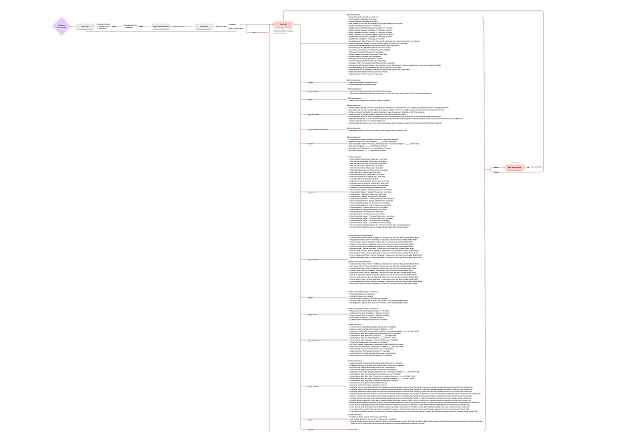
Started by mapping the full platform from scratch — flows, dependencies, and gaps — before any design decisions were made.
System mapping

Full platform mapped before any design decision — each page, flow, and dependency documented

2
User research
Together with Lorenna and Will, conducted interviews with both bank employees and their clients — giving us visibility into operational and user-side challenges at the same time.
3
Usability testing and benchmarking
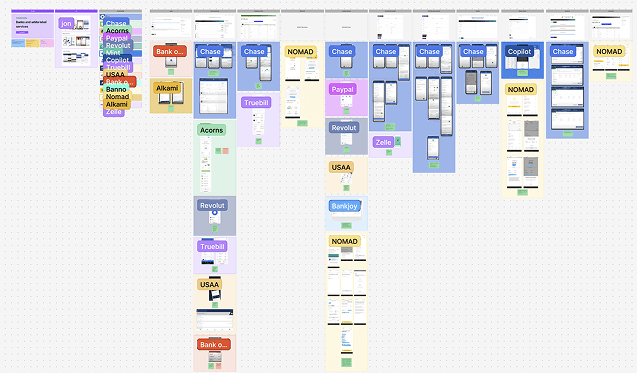
Validated pain points through usability testing and benchmarked similar financial solutions to identify patterns worth adopting.
Benchmarking board

Competitive benchmarking — patterns from similar financial products that informed design decisions

4
Workflow redesign
Focused on batch payments: replaced manual inputs with structured selections, introduced dropdowns to prevent errors, improved file upload feedback, and added contextual guidance and tooltips throughout.
5
Prototyping and testing
Built prototypes and validated with users. Testing revealed small but critical improvements that increased confidence and reduced errors in real operations.
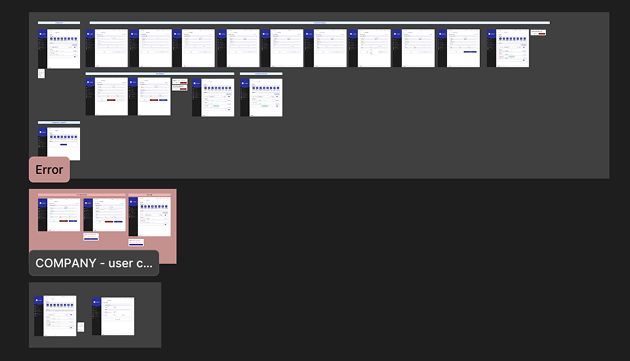
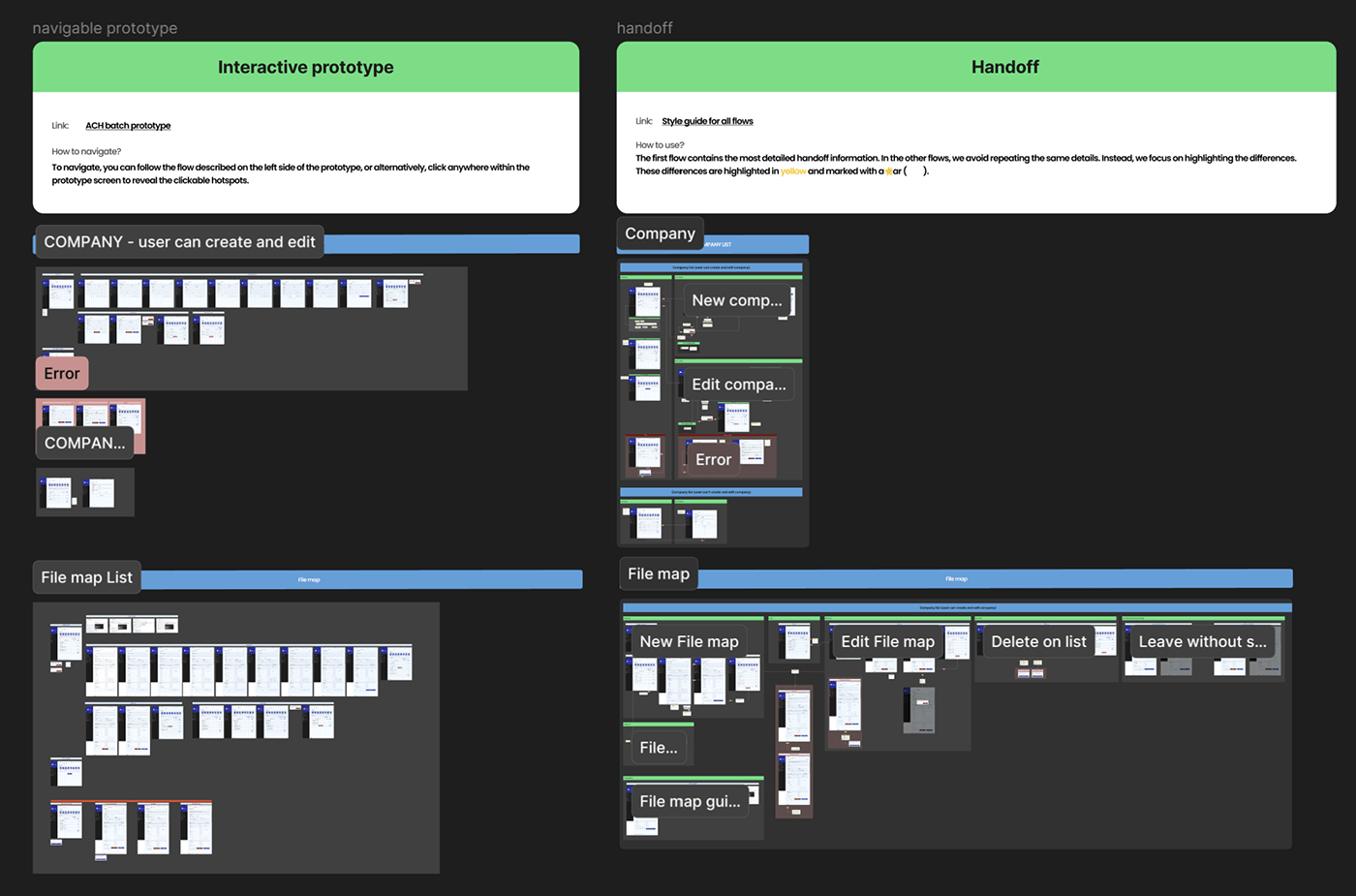
Prototype organization in Figma

Prototype structure in Figma — organized flows ready for usability testing

6
Building the design system
As components grew, the need for shared foundations became clear. Together with Lorenna and Will, we created a style guide that evolved into a full design system — enabling consistent UI patterns, faster decisions, and better collaboration with development.
7
Handoff and delivery
Delivered structured documentation covering component usage, interaction patterns, error states, and logic — supporting smooth implementation without constant back-and-forth.
06 — Workflow Redesign

From manual inputs
to guided steps.

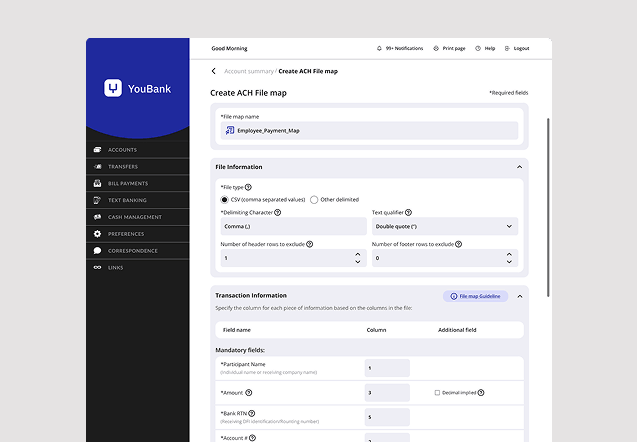
The batch payment flow was rebuilt around one principle: don't let users make a mistake they can't recover from. Structured selections replaced open fields. Feedback appeared at the right moment, not after the damage was done.

Redesigned batch flow

Detail from the redesigned batch flow — some elements intentionally omitted

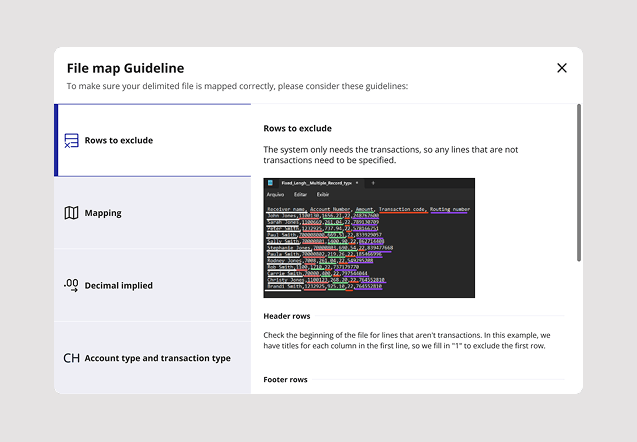
Design decision: We added an Excel guideline directly inside the upload step. Most errors happened before the system — people didn't know how to format the file. Instead of letting them fail, we put the instructions exactly where they needed them.

Excel file guideline screen

In-context Excel guideline — step-by-step instructions for formatting the batch file, shown only when needed

07 — Design System

From scattered components
to a shared foundation.

As the platform grew, so did the inconsistency. Components had multiplied without a governing system. The style guide we created didn't just clean things up — it made future work faster and more reliable.

Consistent UI patterns meant fewer design decisions to relitigate. Better documentation meant development could move without constant questions.

Consistent UI patterns
Every component had a clear purpose, behavior, and usage rule — no more interpreting from context.
Faster collaboration
Shared foundations reduced back-and-forth between design and development at every stage.
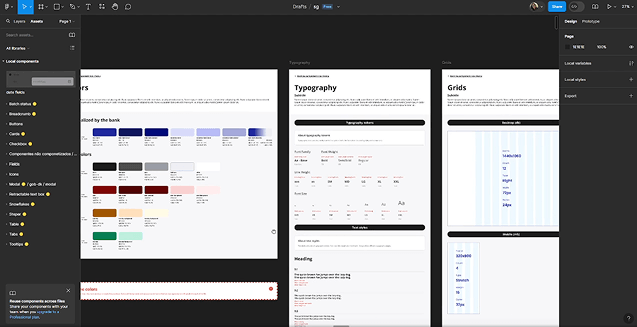
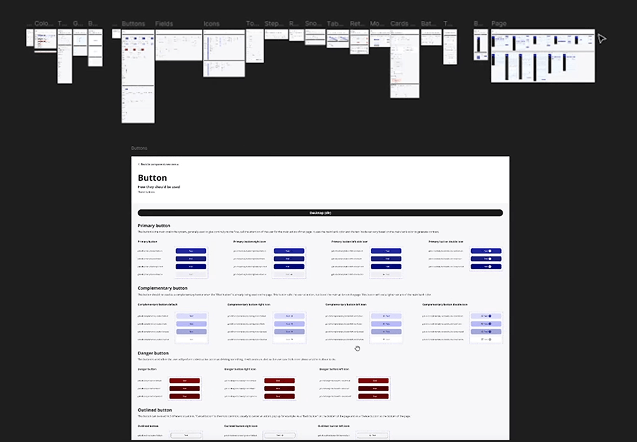
Style guide walkthrough

Style guide — video walkthrough of the component library built during delivery

Component spec detail

Component detail — usage rules, states, and behavior documented for design and development

08 — Handoff

Documentation that
development can actually use.

Good handoff isn't just specs — it's context. Every screen included interaction notes, hover and click states, edge cases, and the reasoning behind key decisions.

This reduced back-and-forth and kept development moving without needing constant design support.

Handoff documentation

Handoff documentation — structured specs with component usage, interaction patterns, and error logic

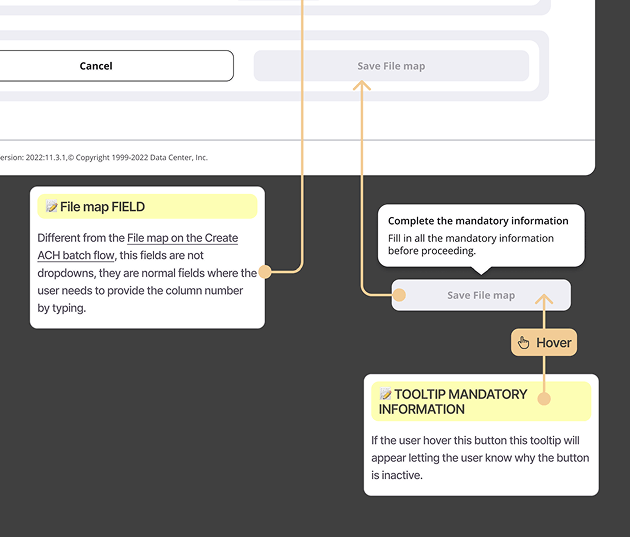
Screen detail with annotations

Screen detail with annotations — hover states, click interactions, and developer comments organized for clarity

09 — Results

Less friction.
More confidence.

The redesigned flows reduced friction where it mattered most. Users became more confident completing batch operations independently — without needing support team assistance.

The design system gave the product a foundation it didn't have before. Future features could be built faster, with fewer inconsistencies to resolve.

09 — Key Takeaway

Usability and consistency
go together.

Improving flows solves the immediate problem. Design systems prevent it from coming back.

In complex systems, you can't separate the two. Every interaction you improve adds friction to the next one if there's no shared foundation underneath.

This wasn't just a redesign. It was the start of a system.

Back to
All case studies
Next case
Better Forms, Better Leads